 Stampario
HVAC service report template
A one-page HVAC maintenance report with the checklist and the readings customers and warranty claims ask for. Print it, or fill it on your phone and send it signed before you leave.
Rather fill it on your phone? Try it free in Stampario: the customer signs on screen and gets the PDF before you leave.
What the template covers
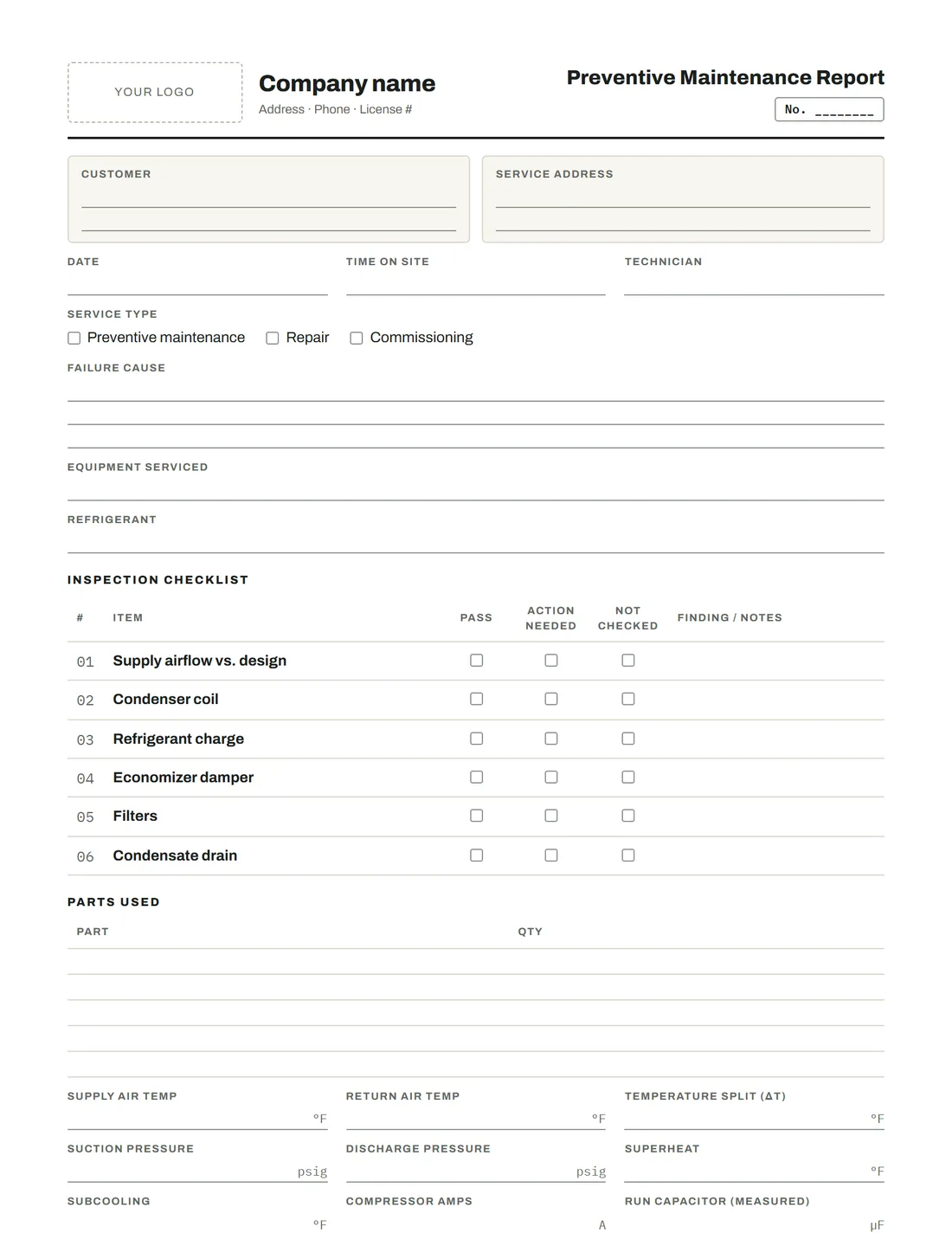
Service type (maintenance, repair, commissioning), unit details and refrigerant, a six-point inspection checklist with pass, action needed or not checked, and a findings column. Readings: supply and return air temperature, suction and discharge pressure, compressor amps and static pressure.
Why record readings every visit
A falling subcooling number or rising amp draw across visits is how you catch a slow leak or a failing compressor before the customer calls with no cooling. That only works if every visit records the same readings the same way.
Make it yours
Add filter sizes, belt sizes or a heating section. In the app you switch off what you don’t check and add your own items.
- 01Service type
- 02Failure cause
- 03Equipment serviced
- 04Refrigerant
- 05Inspection checklist
- 06Parts used
- 07Supply air temp
- 08Return air temp
- 09Temperature split (ΔT)
- 10Suction pressure
- 11Discharge pressure
- 12Superheat
- 13Subcooling
- 14Compressor amps
- 15Run capacitor (measured)
- 16Static pressure
- 17Heating checklist
- 18Temperature rise
- 19Manifold gas pressure
- 20Flame sensor
- 21CO in flue
- 22Notes & recommendations
- 23Recommended but declined by customer
Plus customer, service address, date, time on site, technician, photos and signatures.
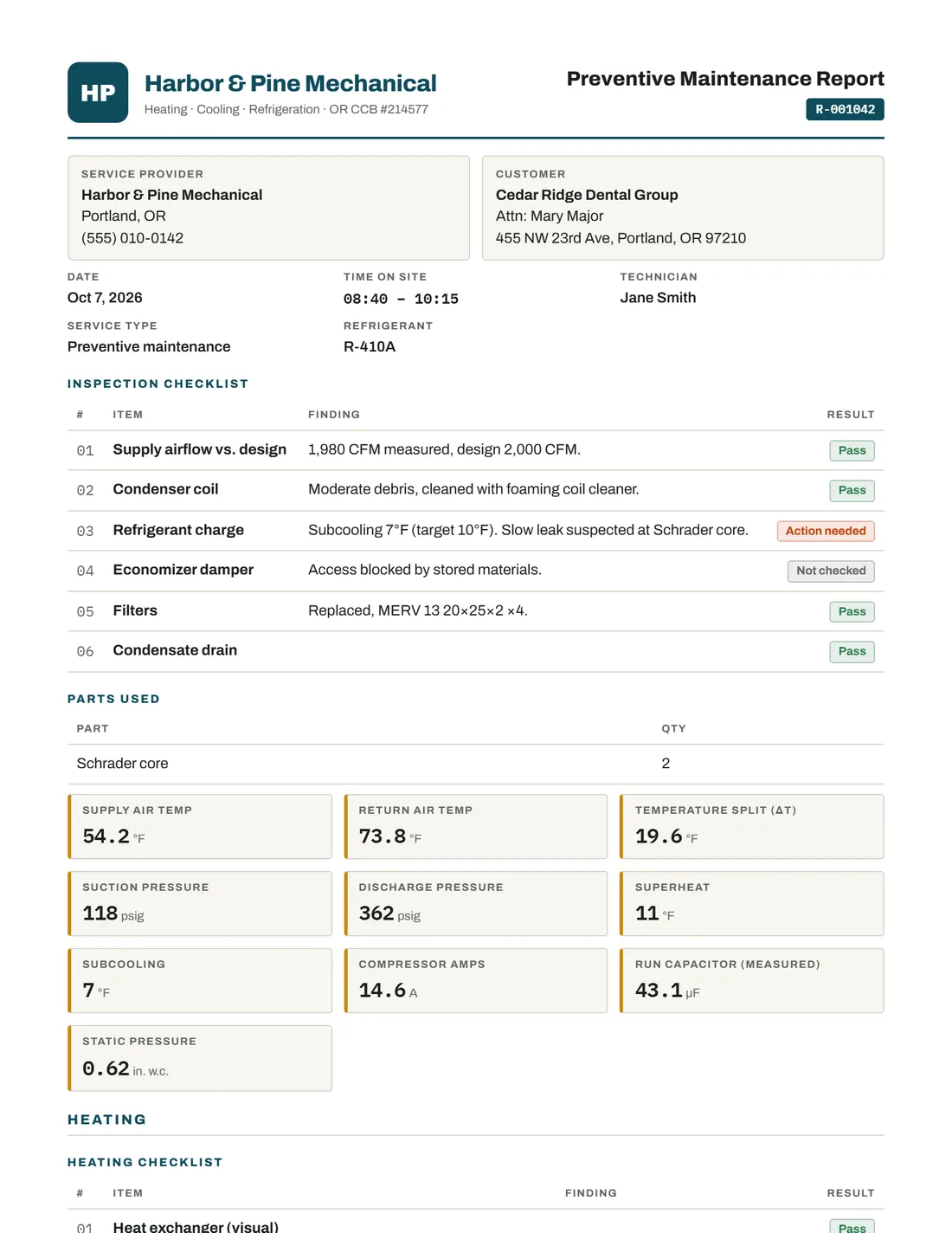
The same form, finished on site
- Last visit’s equipment details are already filled in
- Readings, photos and signatures on one PDF with your logo
- The customer gets it by email before you leave
- The next due date lands on your call list
About this template
Is there an HVAC maintenance checklist PDF too?
The checklist is part of this report: six inspection items with pass, action needed or not checked, plus a findings column. In the app you can add or remove items.
Can I use this for commercial rooftop units?
Yes. Record the unit tag (RTU-2), make, model and serial, and add economizer and belt items for commercial work.
Fill the hvac service report template on your phone
Free for 5 reports a month. No card. Your logo on every PDF from the first one.